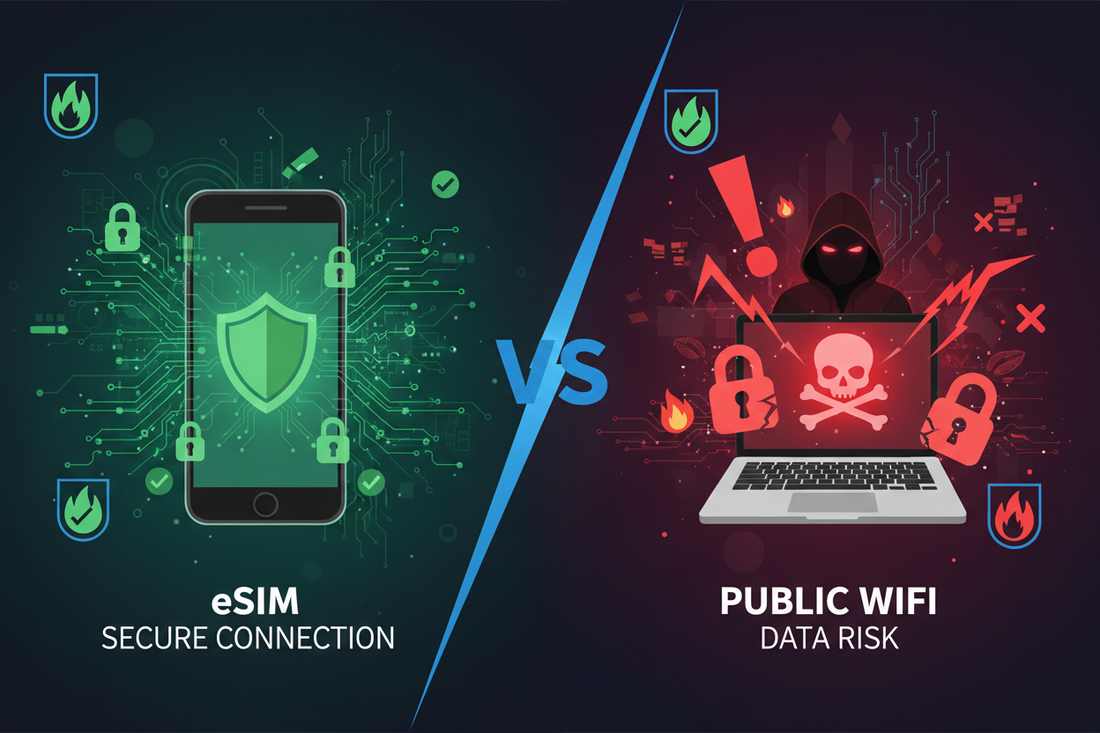
Is Using eSIM Safe for Travel? eSIM Security Advantages vs Public WiFi
🔒 Introduction: The Security Question Every Traveler Asks
You're sitting in a café in Paris, a hotel lobby in Tokyo, or an airport in Bangkok, and you need to check your email, access your bank account, or book your next accommodation. You see "Free WiFi Available" and you're tempted to connect. But should you?
As travelers increasingly rely on eSIM for international connectivity, a common question arises: Is eSIM safe? More importantly, how does eSIM security compare to using public WiFi?
This comprehensive guide will explain why eSIM is not only safe but significantly more secure than public WiFi, and how it protects your sensitive data while traveling.
🛡️ What is eSIM Security?
🔐 How eSIM Technology Works
An eSIM (embedded SIM) is a digital SIM card built into your phone that connects you to mobile networks without a physical card. From a security perspective, eSIM offers several advantages:
- 🔒 Encrypted Connection: All data transmitted through eSIM uses carrier-grade encryption
- 🔑 Secure Authentication: Network authentication happens through encrypted protocols
- 🛡️ Private Network: You connect directly to mobile carrier networks, not shared public networks
- 📱 Device-Level Security: eSIM profiles are stored in a secure element within your phone
- 🚫 No Physical Theft: Unlike physical SIM cards, eSIM cannot be physically removed or stolen
⚠️ The Dangers of Public WiFi
🚨 Why Public WiFi is Risky
Public WiFi networks in airports, hotels, cafés, and tourist areas are convenient but come with serious security risks:
1. 🎣 Man-in-the-Middle Attacks
Hackers can intercept data transmitted between your device and the WiFi router, capturing:
- Passwords and login credentials
- Credit card information
- Personal messages and emails
- Banking details
- Session cookies (allowing account hijacking)
2. 🕵️ Evil Twin Networks
Cybercriminals create fake WiFi hotspots with names like "Airport_Free_WiFi" or "Hotel_Guest" that look legitimate but are designed to steal your data.
3. 📡 Unencrypted Connections
Many public WiFi networks don't use encryption, meaning your data travels in plain text that anyone with basic tools can read.
4. 🦠 Malware Distribution
Compromised public networks can inject malware into your device or redirect you to malicious websites.
5. 👀 Snooping and Sniffing
Other users on the same network can potentially monitor your internet activity using packet sniffing tools.
📊 Shocking Statistics
- 🔴 43% of travelers have connected to public WiFi without security measures
- 🔴 81% of public WiFi networks are unsecured or poorly secured
- 🔴 1 in 4 public WiFi hotspots are set up specifically to steal data
- 🔴 Hackers can intercept data on public WiFi in as little as 10 minutes
✅ Why eSIM is More Secure Than Public WiFi
🛡️ eSIM Security Advantages
1. 🔐 End-to-End Encryption
eSIM: All data is encrypted using carrier-grade security protocols (like 4G LTE and 5G encryption)
Public WiFi: Often unencrypted or uses weak encryption that can be easily broken
2. 🔒 Private Network Connection
eSIM: You connect directly to a mobile carrier's private network infrastructure
Public WiFi: Shared network where all users can potentially access each other's traffic
3. 🎯 Authentication & Authorization
eSIM: Requires secure authentication with the carrier using encrypted credentials
Public WiFi: Often requires no authentication, or uses easily spoofed login pages
4. 🚫 No Man-in-the-Middle Risk
eSIM: Direct encrypted connection to carrier towers eliminates interception opportunities
Public WiFi: Highly vulnerable to man-in-the-middle attacks
5. 🛡️ Network Isolation
eSIM: Your connection is isolated from other users
Public WiFi: All users share the same network, creating security vulnerabilities
6. 🔑 SIM Security Element
eSIM: Stored in a tamper-resistant secure element in your phone
Public WiFi: No device-level security for the connection itself
7. 📱 No Fake Network Risk
eSIM: Connects only to legitimate carrier networks with verified credentials
Public WiFi: Easy to create fake "evil twin" networks that steal data
🔍 Security Comparison Table
| Security Feature | eSIM 🛡️ | Public WiFi ⚠️ |
|---|---|---|
| Data Encryption | ✅ Carrier-grade encryption | ❌ Often unencrypted |
| Man-in-the-Middle Protection | ✅ Protected | ❌ Highly vulnerable |
| Network Authentication | ✅ Secure carrier authentication | ❌ Minimal or none |
| Fake Network Risk | ✅ No risk | ❌ High risk (Evil Twin) |
| Data Snooping Protection | ✅ Isolated connection | ❌ Easy to snoop |
| Malware Injection Risk | ✅ Very low | ❌ High risk |
| Banking & Financial Transactions | ✅ Safe | ❌ Not recommended |
| Privacy Level | ✅ High | ❌ Low |
| Connection Reliability | ✅ Consistent | ⚠️ Variable |
🔐 Additional eSIM Security Features
🛡️ Built-in Security Layers
1. 📱 Secure Element Storage
eSIM profiles are stored in a dedicated secure chip (Secure Element) in your phone that:
- Is tamper-resistant and isolated from the main operating system
- Cannot be accessed by malicious apps
- Protects your carrier credentials from theft
- Meets international security standards (Common Criteria, GSMA)
2. 🔒 Remote Provisioning Security
When you download an eSIM:
- The QR code contains encrypted activation credentials
- Download happens over secure HTTPS connections
- Authentication with carrier servers uses cryptographic keys
- Profile installation is verified and signed
3. 🚫 Anti-Cloning Protection
Unlike physical SIM cards that can potentially be cloned:
- eSIM profiles are uniquely tied to your device
- Cannot be duplicated or transferred without authorization
- Carrier can remotely disable compromised profiles
4. 🔐 Network-Level Security
Mobile carrier networks provide:
- 4G LTE encryption (128-bit or 256-bit)
- 5G enhanced security protocols
- Continuous network monitoring for threats
- Automatic security updates
💳 Safe Activities with eSIM vs Public WiFi
✅ Safe with eSIM
- ✅ Online banking and financial transactions
- ✅ Credit card purchases
- ✅ Accessing work emails and documents
- ✅ Logging into social media accounts
- ✅ Video calls with sensitive information
- ✅ Accessing medical records
- ✅ Filing taxes or legal documents
- ✅ Cryptocurrency transactions
- ✅ Password manager access
- ✅ Two-factor authentication
❌ Risky with Public WiFi
- ❌ Online banking (high risk)
- ❌ Credit card transactions (high risk)
- ❌ Work email with confidential info
- ❌ Entering passwords (unless using VPN)
- ❌ Accessing financial accounts
- ❌ Sensitive business communications
- ❌ Medical or legal portals
- ❌ Cryptocurrency wallets
- ❌ Shopping on unfamiliar websites
- ❌ Downloading important files
🌍 Real-World Travel Scenarios
📍 Scenario 1: Airport WiFi
Situation: You're at Bangkok airport and need to check your bank balance before exchanging currency.
❌ Using Airport WiFi:
- High risk of man-in-the-middle attacks
- Potential fake "Airport WiFi" networks
- Your banking credentials could be intercepted
- Shared network with hundreds of users
✅ Using eSIM:
- Encrypted connection to mobile network
- No risk of fake networks
- Safe to access banking app
- Private, isolated connection
📍 Scenario 2: Hotel WiFi
Situation: You need to book your next accommodation and enter credit card details.
❌ Using Hotel WiFi:
- Unknown security configuration
- Potentially compromised by previous guests
- Credit card details at risk
- Possible malware injection
✅ Using eSIM:
- Secure encrypted transaction
- No shared network vulnerabilities
- Safe for payment processing
- Reliable connection quality
📍 Scenario 3: Café WiFi
Situation: Working remotely from a café, accessing company files.
❌ Using Café WiFi:
- Easy for hackers to intercept business data
- Risk of exposing confidential information
- Potential compliance violations
- Unreliable connection
✅ Using eSIM:
- Corporate-grade security
- Compliant with business security policies
- Consistent, reliable connection
- No data leakage risk
🛡️ Best Practices for Maximum Security
🎯 Security Tips When Using eSIM
- 🔒 Keep Your Phone Locked: Use strong PIN, password, or biometric authentication
- 📱 Update Your OS: Keep your phone's operating system and apps updated
- 🔐 Use HTTPS: Ensure websites use HTTPS (look for the padlock icon)
- 🚫 Disable Auto-Connect: Turn off automatic WiFi connection to prevent accidental public WiFi use
- 🔑 Enable Two-Factor Authentication: Add extra security layer to important accounts
- 📲 Use Official Apps: Download banking and payment apps only from official stores
- 🗑️ Delete Old eSIM Profiles: Remove unused eSIM profiles to reduce attack surface
- 📧 Verify eSIM Provider: Only purchase eSIM from reputable providers
- 🔍 Monitor Data Usage: Check for unusual data consumption that might indicate compromise
- 💾 Backup Important Data: Regular backups protect against device loss or theft
⚠️ When You Must Use Public WiFi
If you absolutely must use public WiFi, follow these precautions:
- 🔐 Use a VPN: Virtual Private Network encrypts all your traffic
- 🚫 Avoid Sensitive Activities: No banking, shopping, or password entry
- ✅ Verify Network Name: Confirm the official WiFi name with staff
- 🔒 Check HTTPS: Only visit websites with HTTPS encryption
- 📴 Forget Network After Use: Don't let your phone auto-reconnect
- 🛡️ Enable Firewall: Use your phone's built-in firewall if available
- 👁️ Turn Off Sharing: Disable file sharing and AirDrop
💡 Better Solution: Use your eSIM as a mobile hotspot instead of connecting to public WiFi!
💰 Cost vs Security: Is eSIM Worth It?
📊 Value Analysis
Public WiFi:
- 💵 Cost: Free
- ⚠️ Security Risk: High
- 💳 Potential Loss: Identity theft, financial fraud, data breach (potentially thousands of dollars)
eSIM:
- 💵 Cost: $5-$50 depending on plan and duration
- ✅ Security Risk: Very low
- 🛡️ Protection: Peace of mind, secure transactions, privacy protection
🎯 The Verdict: Spending a small amount on eSIM is far more cost-effective than risking identity theft, credit card fraud, or data breaches that could cost thousands to resolve.
🌐 Get Your Secure Travel eSIM
Protect your data and privacy while traveling with our secure eSIM plans:
🌏 Popular Destinations
- Japan eSIM Plans - Secure connectivity across Japan
- Thailand eSIM Plans - Safe browsing in Southeast Asia
- Europe eSIM Plans - Protected connection in 30+ countries
🌍 Global Coverage
- Global Unlimited Subscription - Worldwide secure connectivity
- Asia Regional Plans - Multi-country protection
- Global Day Pass - Flexible secure access
❓ Frequently Asked Questions
Q: Can eSIM be hacked?
A: While no technology is 100% hack-proof, eSIM is extremely secure. It uses carrier-grade encryption, secure element storage, and authenticated network connections, making it far more secure than public WiFi and comparable to traditional SIM cards.
Q: Is my personal information safe with eSIM?
A: Yes. eSIM providers and carriers follow strict data protection regulations (GDPR, etc.). Your connection is encrypted, and your data is not shared on public networks.
Q: Can someone intercept my eSIM data?
A: Intercepting eSIM data is extremely difficult due to carrier-grade encryption. Unlike public WiFi where interception is relatively easy, eSIM connections are protected by the same security used by mobile carriers worldwide.
Q: Should I use VPN with eSIM?
A: While eSIM is already secure, using a VPN adds an extra layer of privacy, especially if you want to hide your browsing activity from your carrier or access geo-restricted content. However, for general security, eSIM alone is sufficient.
Q: Is eSIM safer than physical SIM?
A: eSIM offers equal or better security than physical SIM cards. The main advantage is that eSIM cannot be physically stolen or swapped (SIM swapping attacks), and it's stored in a tamper-resistant secure element.
Q: Can I use eSIM for online banking while traveling?
A: Absolutely! eSIM provides a secure, encrypted connection that's safe for banking, shopping, and other sensitive transactions - much safer than public WiFi.
Q: What happens if I lose my phone with eSIM?
A: If your phone is locked with a PIN/password, your eSIM data remains secure. Contact your eSIM provider to deactivate the profile. Most providers can issue a new eSIM for your replacement device.
🌟 Conclusion: Choose Security, Choose eSIM
When it comes to staying connected while traveling, security should never be an afterthought. Public WiFi might be free and convenient, but it comes with serious risks that can compromise your personal information, financial data, and privacy.
eSIM technology offers a secure, reliable, and private alternative that protects you from the most common cyber threats travelers face. With carrier-grade encryption, isolated network connections, and secure element storage, eSIM provides peace of mind that's worth far more than the small cost of a data plan.
🛡️ Travel Securely with eSIM
Protect your data, privacy, and peace of mind
✅ Carrier-grade encryption • ✅ No public WiFi risks • ✅ Safe for banking & shopping
Stay connected, stay secure! 🔒🌍✨